Qualifications
In Qualifications you maintain a catalog of qualification categories and assign qualifications to trainers with a level and an expiry date.
What are Qualifications for?
You will find this page in the menu under Training → Trainers → Qualifications.
On this page you maintain a Qualification catalog of categories and assign qualifications to trainers (category, level, expiry). To open the page you need access to the training or calendar area.
The screen at a glance
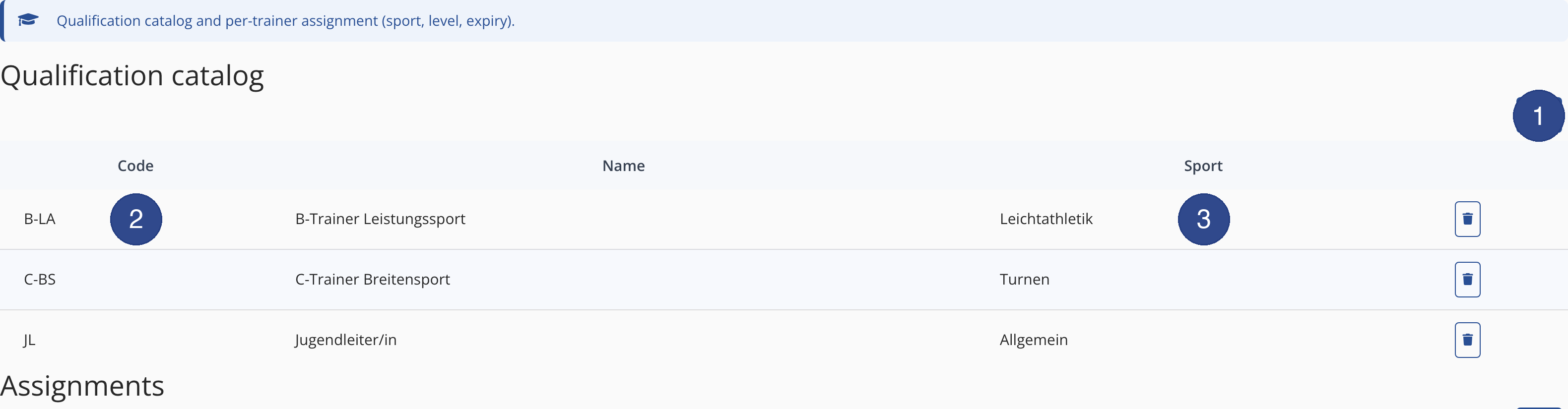
- ① New category
- Use the New category button to create a new catalog category.
- ② Code column
- The Code column shows the short code of a catalog row.
- ③ Sport column
- The Sport column shows the sport assigned to the row; between them sits the Name column.
Maintain the catalog
- Click New category.
- Fill in Code, Name and Sport.
- Click Save. The category then appears as a row in the catalog.
Assignments
Below the catalog, in the Assignments area, you assign a qualification to a trainer. Via New assignment you choose a Trainers entry, a Level and a Valid until date; if needed, you add a Note.
Tipp This requires at least one trainer to exist. The list of assignments is empty at first; use Delete to remove an existing assignment again.