Payment methods & payout
Which payment methods you offer your participants, how you set up payment on account, and how you enable payouts through Stripe Connect.
Overview
Under Payment you store the bank account for your payouts and enable the payment methods participants can choose at checkout.
Payment methods
Menu path: We → Payment
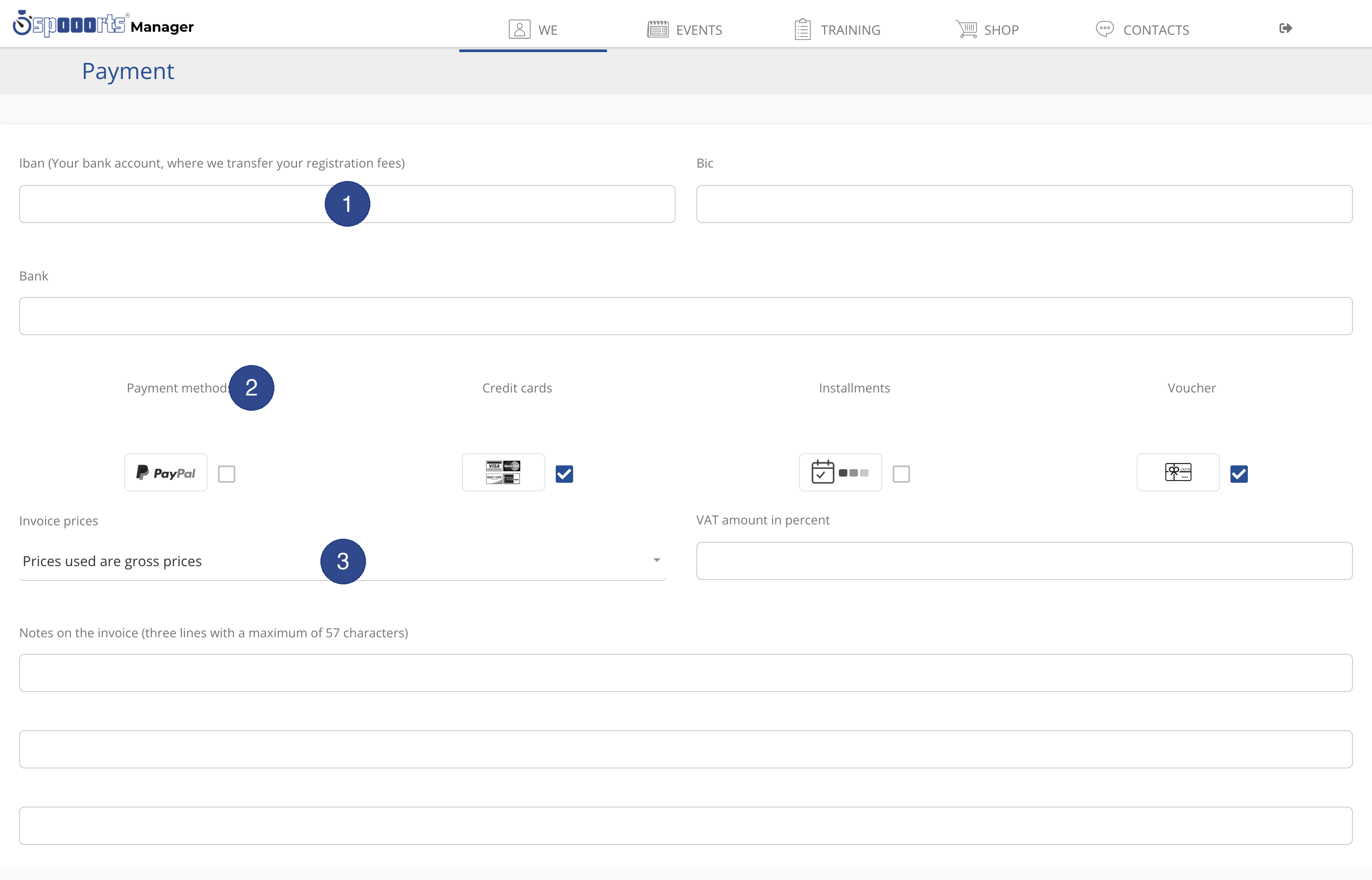
The available payment methods are:
- Credit cards
- PayPal
- GiroPay
- Instant Bank Transfer
- Installments
- Voucher
In addition you set Invoice prices (gross or net), the VAT amount in percent and the Notes on the invoice (three lines with a maximum of 57 characters).
Payment on account
Payment on account has its own fields:
- Offer payment on account
- enables payment on account.
- Minimum amount / Maximum amount (0 = unlimited)
- limits payment on account to an amount range.
- Payment terms (days)
- due period for payment.
- Remittance reference prefix
- prefix of the payment reference.
- Billing address required
- requires a billing address.
- Send the invoice by e-mail automatically
- sends the invoice automatically.
Stripe Connect & payout
Menu path: We → Stripe Connect
For payouts you connect a Stripe Connect account. Only once the account is ready do payments flow to you.
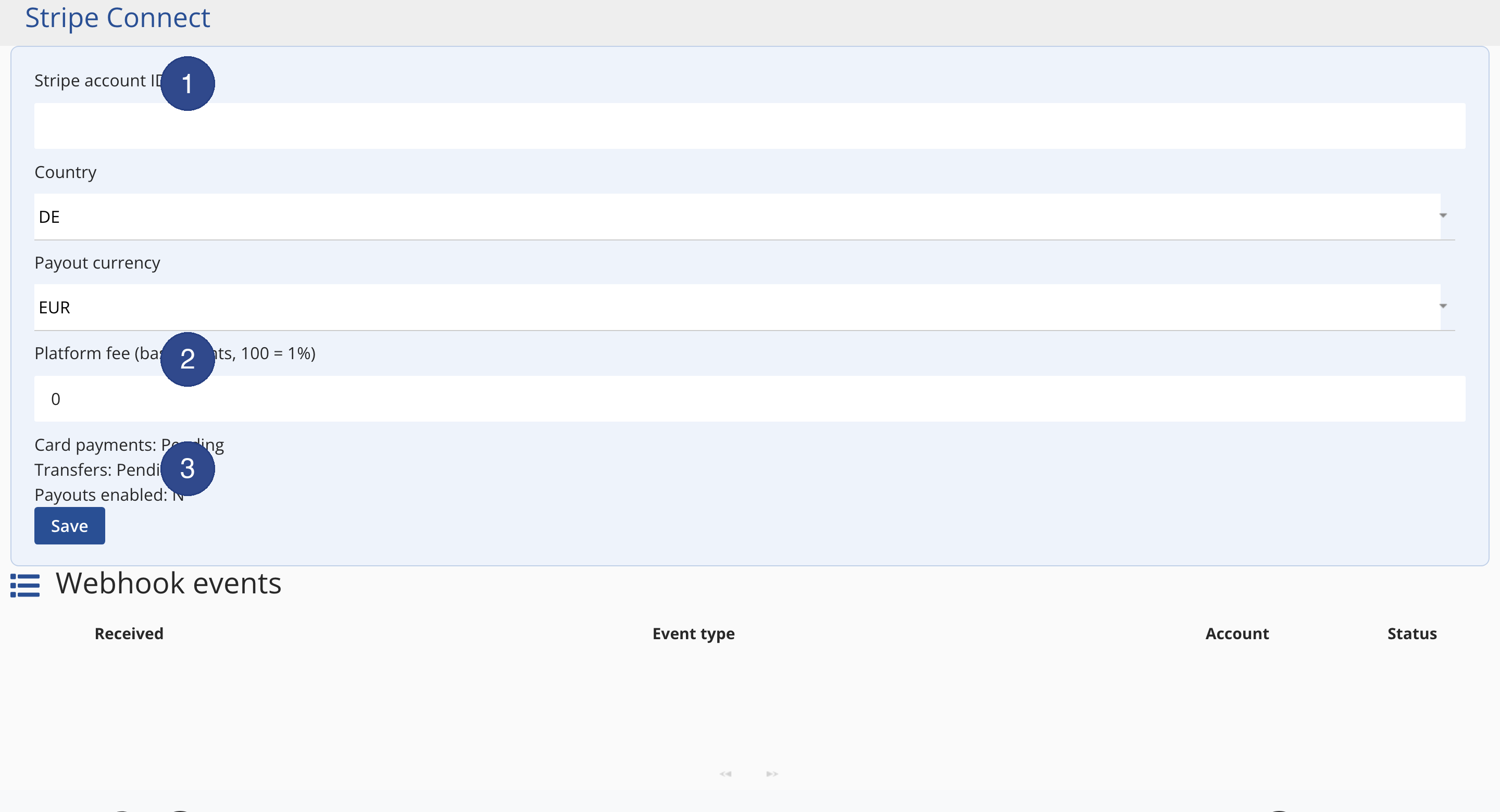
- Stripe account ID
- the ID of the connected account.
- Country
- country of the account.
- Payout currency
- currency of the payouts.
- Platform fee (basis points, 100 = 1%)
- the platform's share.
- Card payments / Transfers
- capability status (pending or enabled).
- Payouts enabled
- Y once payouts are running.
Under Webhook events you see the events reported by Stripe (received, event type, account, status).
Limits
Note As long as the Stripe account is not ready, card payments and transfers stay pending and Payouts enabled is N; no payouts flow yet.