Settings
Configure your school's basic data — name, logo, colors, domain, payment methods and notifications.
Overview
You find this page in the menu under We → Settings.
The global settings hold your organisation's core data – from the booked spooorts package through language, currency and legal form to the default values for category, sport and display formats. These defaults apply to new events, invoices and your website and can be changed at any time.
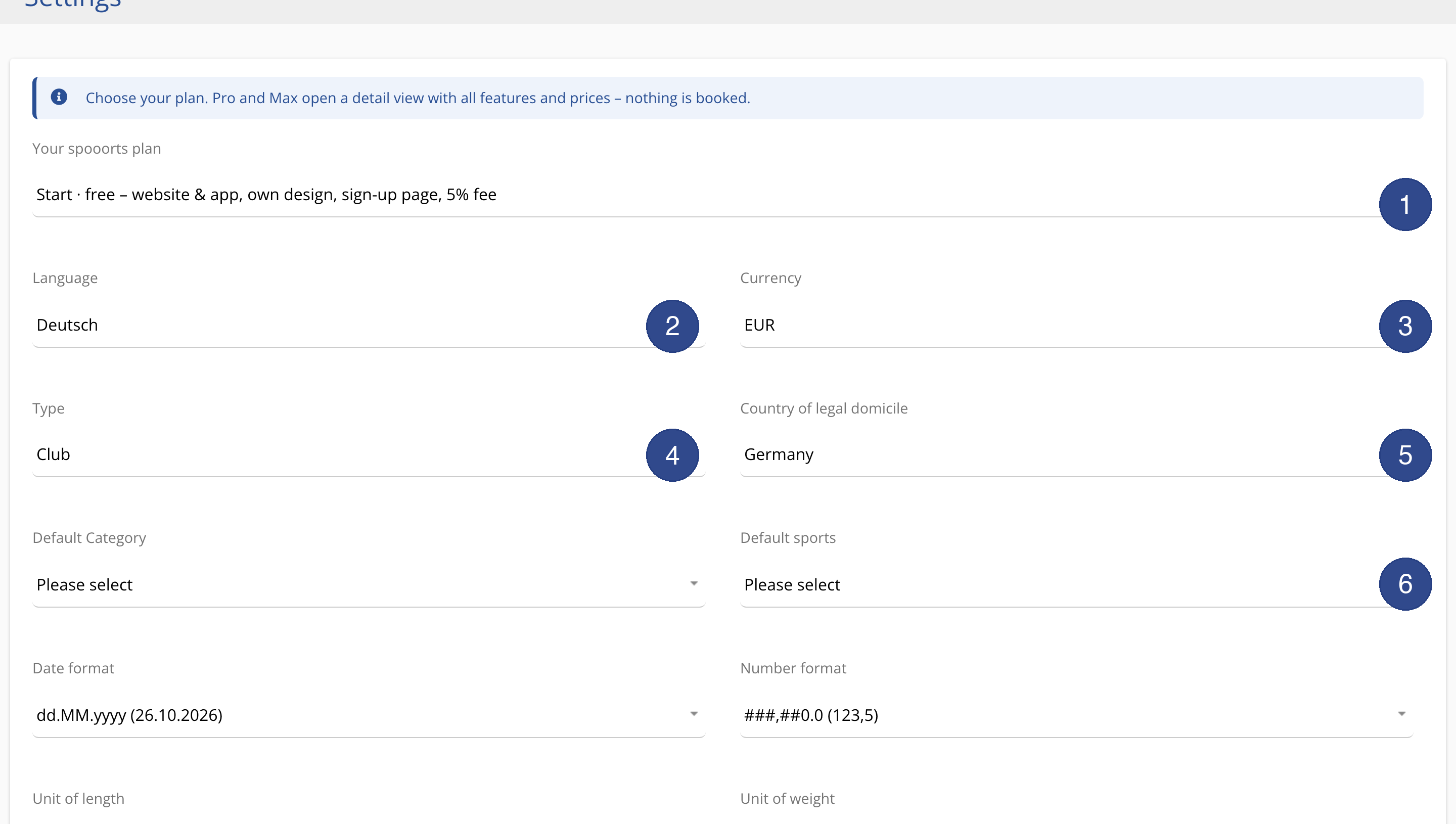
In Settings you store your school's basic data: name, logo, colors, sub-domain or your own domain, payment methods and default settings for notifications.
The master data forms the basis for website, app, invoices and notifications. It is entered once and then used automatically everywhere. The most important settings include name and logo, colours, domain, payment methods and the templates for automatic notifications.
Via roles and permissions you give staff targeted access — for example so a helper can check in bookings without seeing financial data. Changes take effect immediately and need not be maintained in several places, because all output channels use the same master data.
In addition you store social-media links and legal details, which also appear automatically on website and app.
Settings
Menu path: We → Settings and Roles & permissions. Master data, social media and permissions.